What is a coding agent, and how do you choose one?
What CLI means, and how the tool, interface and model differ. A documentation-based guide to Claude Code, Codex, OpenCode, Cline and Deep Code.
From chat to assistant, part 2. Start with skills, plugins and connectors ←
You ask a chat to write a simple app. You get a block of code and a few steps explaining what to do with it. But you still have to work out where to put it, how to run it, and why you are seeing an error message instead of a result. You copy the error back into the chat. A fix arrives. More copying.
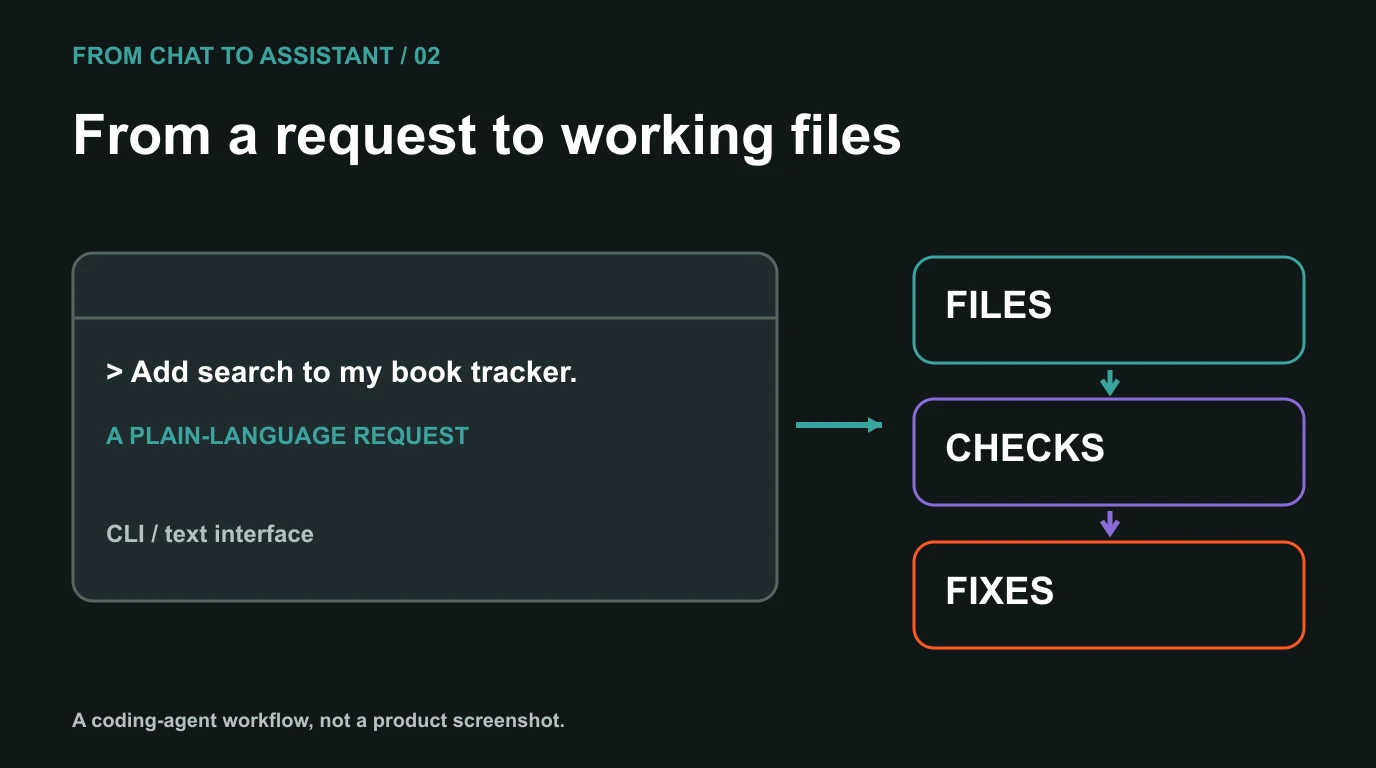
That gap is where a coding agent starts to make sense. AI that can work directly on your project’s files and use the tools that run and check the program. It can propose a change, write it to a file, run a check, and use the result to decide what comes next. You do not have to act as a messenger between every two steps. Claude Code and Codex documentation both describe this kind of work. [1][2]
But “coding” does not mean you can stop understanding what is being built. “Make me a website” is still not a complete idea of a website. And a program that runs does not necessarily do the right thing.
First, three things that are easy to mix up
When someone says “try Claude Code,” “use DeepSeek,” or “I do it through a CLI,” they may be talking about different layers.
The tool is the environment where you work with AI: Claude Code, Codex, OpenCode or Cline, for example. It determines how you assign work, how you see changes, and which actions are available to the agent.
The model processes the request and its supporting material, and proposes answers and next steps. It is not the same as the application that lets it open a file or run a command. Some tools offer several models and providers.
The interface is how you operate the tool. It might be a window with buttons, a panel inside an editor, or text controls in a terminal. One tool can come in several of these forms.
So “I use DeepSeek” does not tell you which program someone is working in. And “I use a CLI” tells you neither the tool nor the model.
What CLI means, and why it is not the same as programming
CLI stands for command-line interface. Instead of clicking, you control a program with text commands. You type them into a terminal: an application with a text window. Even if you have never used one, it is not a different kind of computer. It is a different way to operate it.
With a coding agent, distinguish launching the program from assigning the work. Launching it may require a specific command from its instructions. Once the agent is running, your request can be an ordinary sentence:
Make me a simple book tracker. Each book needs a title, an author, and a way to mark it as read. I need search, and the list must survive a page refresh.
That is an example request, not a command to paste into any terminal or a record of a completed experiment.
The distinction is not whether the text window is black. It is what the program can do: does it have access to the project, can it write files, and may it run the necessary tools? Within what scope, and with which confirmations?
Command-line control is also useful for repeatable tasks and scripts. For a first introduction, though, an editor or graphical app may feel more comfortable: you can see the changed files beside the request. That is not weaker AI. It is a different working environment.
Claude Code, Codex, OpenCode, Cline and Deep Code
This overview describes what each project documents. It does not say which one built the best program in our test. We have not run that test yet.
| Tool | How you can work with it | What to clarify before choosing |
|---|---|---|
| Claude Code | Terminal, editor extensions, desktop app and web. [1] | Which interface you want, and how it handles the account, provider and permissions. It is not only a terminal app. |
| Codex | A CLI, plus documented local work in the desktop app and editor extension. [2][3] | When using OpenAI models, distinguish ChatGPT sign-in from API-key access. They are different access and billing paths. |
| OpenCode | Documents terminal, desktop and web interfaces, with a choice of models and providers. [4] | Which provider you connect and what you pay for. The client name is not the name of a single model. |
| Cline | An editor extension, its own CLI and a desktop app. [5] | You do not have to assess it only as a VS Code panel. Compare the particular interface and configuration. |
| Deep Code | A specific community project focused on DeepSeek, documenting CLI and VS Code use. [6] | Check the exact project and author. It is not the DeepSeek model, or automatically a product made by the model’s provider. |
Naming is especially important with DeepSeek. Several terminal tools work with its models. DeepSeek’s official integration list includes Deep Code, DeepSeek-TUI and Reasonix, among others. A link from the model provider does not mean the provider also created the tool. This overview uses the particular Deep Code project maintained around the lessweb/deepcode-cli repository. [6][7]
Likewise, a tool does not have to be permanently tied to one model. Read the documentation for the particular client and provider to see the supported options. Comparing an application name with a model name as though they were two competing apps only creates confusion.
What does it mean for the agent to work on its own?
For our book-tracker example, the job might include creating the page, writing the program, launching a local preview and checking that saving works. The agent receives feedback along the way: a startup error, for example. It can use that information to adjust its next step.
Not every tool has all these capabilities enabled, and it will not necessarily perform every check. “Can run tests” is not the same as “tested this result.” That is exactly what to ask at handover:
What did you actually run and verify? What did you only assume? How can I tell that the books will still be there after a page refresh?
For a larger change, save a starting state of the project that you can return to. And if the agent is going to publish something or make changes outside the working copy, that is a different permission from creating files locally. A program on your own computer with made-up data is enough for a first attempt.
Which one should you start with?
I would start with a working environment and one result you want to get. Not the number of features on the tool’s homepage.
If you already work in a development editor, it makes sense to try a tool inside it. If you want a text environment and repeatable commands, look at its CLI. If you want to switch models and providers easily, their support and connection options will matter. And if you already have a particular subscription, first check whether it includes access to your chosen version of the tool, and under what limits.
OpenCode, for example, documents connecting your own provider and an optional OpenCode Go subscription. Cline offers its own access routes as well as the option to use a provider’s key. With these tools, choosing the controls also means deciding who bills you for the model’s work, and how. [4][5]
“Free to download” is not the same as “free model usage.” Codex documentation, for example, explicitly distinguishes subscription access through ChatGPT from usage-based API access. A free client elsewhere may also come with separate model costs. [3]
For a first attempt, I would stick to a small task you can check. Add books to the tracker, close it, and open it again. You know whether it works. An app with sign-in, payments and other people’s data needs more than a nice appearance.
Once we actually run the same task in every chosen setup, we can compare results, human interventions and documented costs. Until then, we have a map of the options, not a winner.
Sources
Documentation checked on 17 November 2026. A documented feature is not a guarantee of the quality of a particular result. Interfaces, plans and model availability can change.
[1] Claude Code: Overview, Anthropic.
[2] Codex CLI, official OpenAI documentation.
[3] Authentication, official OpenAI documentation.
[4] OpenCode: Intro and Providers, official project documentation.
[5] Cline: CLI Overview and the Cline repository, primary project documentation.
[6] Deep Code CLI and its integration guide in DeepSeek’s directory.
[7] Awesome DeepSeek Agent, DeepSeek’s official integration directory.